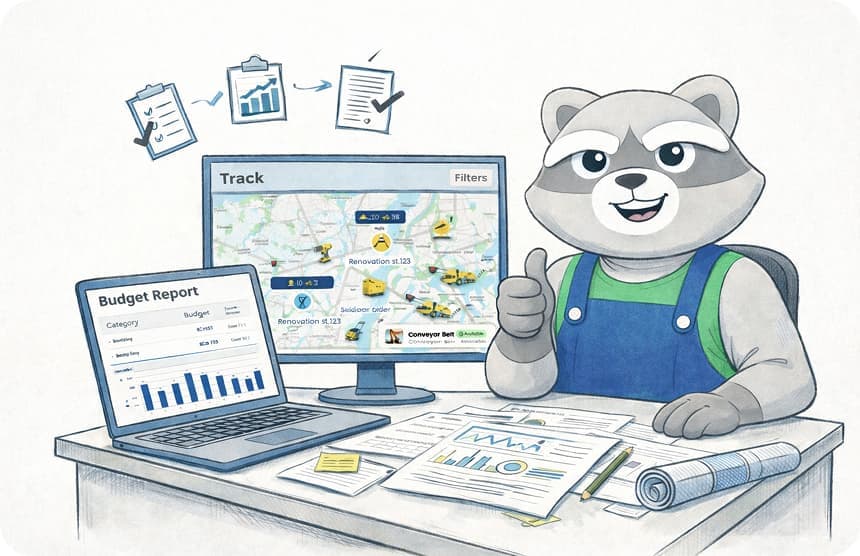
Creating Professional Construction Reports: A Guide to Accuracy and Efficiency
Our guide to creating professional construction reports helps you ditch manual entry, gain real-time visibility, and protect your project from costly disputes.
by Michael R. Henderson
|
Professional construction reporting is not a writing task; it's the automated byproduct of disciplined, real-time site documentation. For many site leads, the reality is far different. You likely spend two hours or more every single day on manual data entry, often while chasing down missing photos or safety logs from different teams. It's a friction-heavy process that leaves your business vulnerable when disputes arise.
We understand that when large projects typically run 80% over budget, every minute spent on administrative rework is a minute lost on execution. Creating professional construction reports shouldn't feel like a second job. You need a system that captures field data as it happens and turns it into a clear, legally defensible record with a single click. This guide will show you how to gain real-time visibility into your manpower and equipment while ensuring your documentation is consistent across every site.
You'll learn how to bridge the gap between field operations and office precision. We'll cover the transition from manual logs to automated project analytics, helping your team move faster and work with total transparency.
Key Takeaways
- Standardize your documentation to create a single source of truth that ensures every stakeholder sees the same verified site data.
- Learn the essential elements for creating professional construction reports that serve as legally defensible records and protect your project from disputes.
- Capture real-time manpower and equipment tracking to manage costs and maintain visibility into site productivity without the manual paperwork.
- Discover how a digital site diary acts as the engine for one-click report generation, saving hours of administrative time every day.
- Strengthen client trust and project transparency by centralizing progress photos and safety inspections into one polished, professional format.
The Fundamentals of Professional Construction Reporting
Professional construction reporting is the backbone of project accountability. It isn't just a collection of notes; it is a standardized, data-driven document that provides a single source of truth for the entire team. When your firm prioritizes creating professional construction reports, it establishes a clear record for owners, engineers, and financial auditors who require precise data to release payments and manage risk. This level of documentation is essential for maintaining client trust and ensuring your team remains protected if disputes arise.
Modern Construction management requires a move away from traditional pen-and-paper logs. These manual methods are prone to loss and lack the timestamped, photo-backed verification needed for high-stakes projects. A professional approach relies on digital systems that bridge the gap between field operations and office oversight, ensuring every detail is captured with precision.
To see how field-tested techniques can streamline your daily documentation, watch this video:
The Shift from Manual Logs to Professional Digital Records
Manual spreadsheets and paper diaries create significant administrative overhead. This fragmentation makes it nearly impossible to maintain a unified view of the project. Real-time data capture is essential because it prevents the memory fade that occurs when site leads try to reconstruct their day hours after the work is finished. Professional digital records ensure that details are captured while the work is fresh, reducing the risk of inaccurate or missing information that can stall a project.
Key Characteristics of a Professional Report
Standardization is the hallmark of a professional report. Every document should follow a consistent structure to allow for rapid review by stakeholders. This uniformity ensures that no critical data points, such as safety logs or manpower counts, are overlooked. Verification through digital reporting tools adds another layer of authority. By including progress photos and digital signatures, you transform a simple log into a credible, verified record that protects your bottom line and improves transparency.
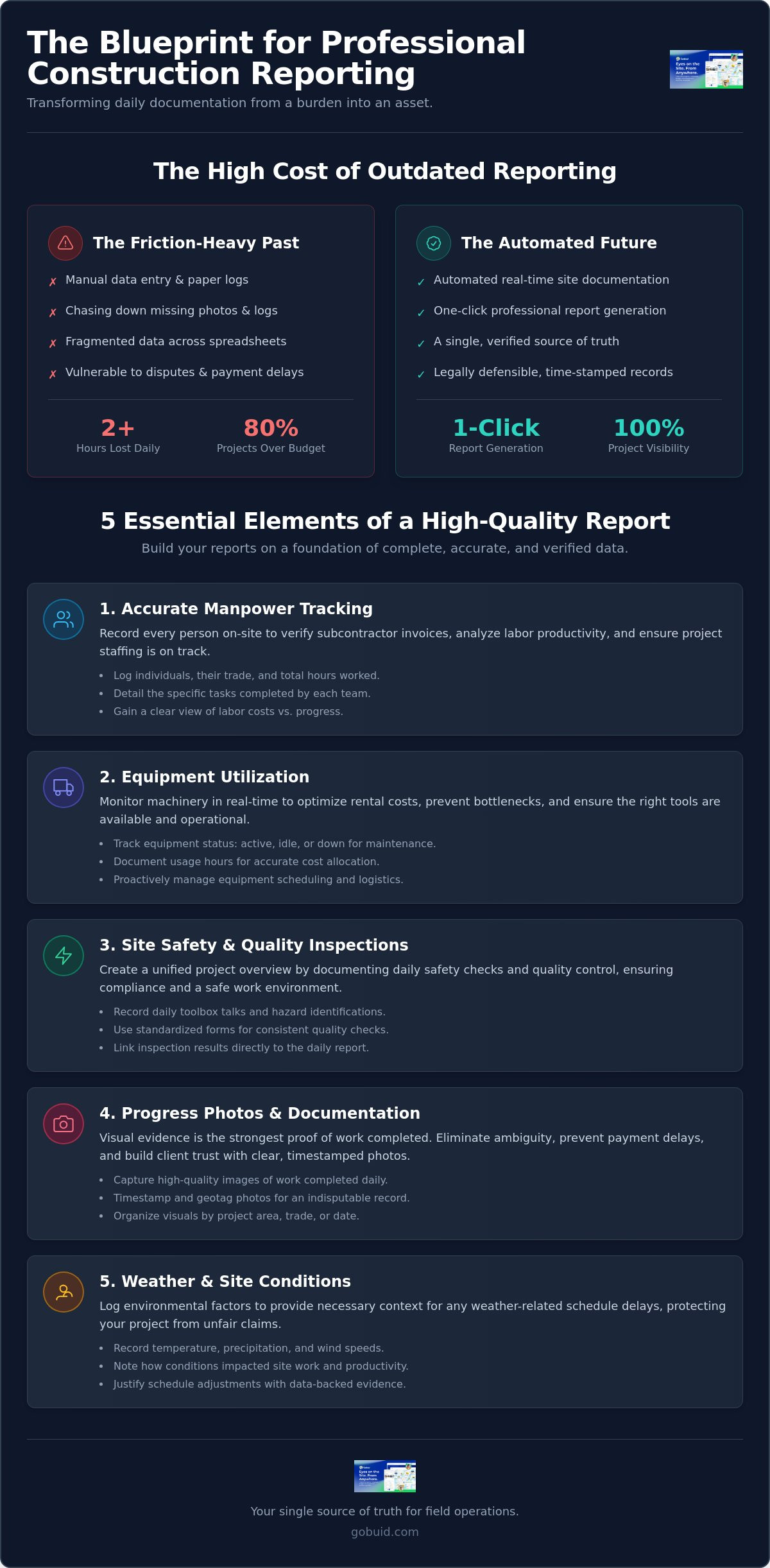
5 Essential Elements of a High-Quality Construction Report
A high-quality report does more than record the day. It provides the granular data required to keep a project on track and profitable. When creating professional construction reports, focus on these five core pillars to ensure your documentation is comprehensive and actionable.
- Accurate Manpower Tracking: Record every individual on-site, their specific trade, total hours worked, and the exact tasks they completed. This detail is vital for verifying subcontractor invoices and analyzing labor productivity.
- Equipment Utilization: Track machinery status in real-time. Knowing whether equipment was active, idle, or down for maintenance allows you to optimize rental costs and prevent bottlenecks. You can manage this effectively through equipment tracking tools.
- Site Safety and Quality Inspections: Document daily toolbox talks, hazard identifications, and the results of quality checks. Using resources like Inspection and Corrective Action Report Templates helps ensure you meet environmental and regulatory standards.
- Progress Photos and Documentation: Visual evidence is the strongest proof of work completed. It eliminates ambiguity and prevents payment delays by showing exactly what was accomplished.
- Weather and Site Conditions: Log environmental factors like temperature, precipitation, and wind speeds. These notes provide the necessary context for any weather-related schedule slips.
Integrating Safety and Quality Control
Standardization is key to field compliance. Use customized forms to ensure every team lead follows the same safety checklist. By linking these inspection results directly to the daily report, you create a unified project overview. This centralization makes it easier to spot recurring hazards before they lead to accidents or rework. It transforms safety from a checklist into a proactive management strategy.
The Power of Progress Photos
A photo without context is just an image. Best practices require capturing progress photos that include markers for scale and orientation. These timestamped records act as your ultimate defense against liquidated damages and claims. When your data is visual and verified, you spend less time arguing and more time building. Teams that use GoBuid find that centralizing these assets reduces friction between the field and the office.
Streamlining the Workflow: Achieving One-Click Report Generation
Efficiency in the field translates directly to profitability in the office. The traditional method of drafting reports at the end of a long shift is a liability, often leading to missing details and administrative burnout. By using a digital site diary as your primary engine, you transform daily entries into a finished product instantly. This "One-Click" philosophy ensures that creating professional construction reports is no longer a separate task, but a natural byproduct of your team's daily workflow.
Capturing data in real-time allows your project analytics dashboard to serve as an early warning system. You can identify labor trends or equipment bottlenecks before they impact your schedule. Meeting rigorous documentation standards, including those set by regulatory bodies or project-specific guidelines, becomes effortless when your system automatically organizes data into the required formats. Flexibility is also key; a no lock-in approach ensures your software choice remains a commitment to quality and performance rather than a contractual obligation.
Automating Field Data Collection
Empower your site supervisors to log updates as they happen through mobile interfaces. This practice eliminates the end-of-day scramble and ensures every photo and task note is timestamped correctly. When equipment management is automated, usage data feeds directly into your cost reports. You gain an immediate view of machine hours and idle time without manual tallying, keeping your budget precise and your team moving forward.
The Final Output: Branded and Professional
The final export should be a branded, professional PDF that reinforces stakeholder trust. High-quality formatting matters because it signals competence to owners, engineers, and auditors. Once generated, these reports can be distributed to stakeholders instantly. This level of transparency keeps everyone informed and reduces the volume of follow-up questions from the office. Ready to simplify your site documentation? Generate reports in one click with GoBuid.
Take Control of Your Project Documentation
Transitioning from chaotic manual logs to a centralized digital system is the only way to protect your bottom line in a competitive industry. By capturing field data as it happens, you ensure that every photo, safety check, and hour worked is verified and ready for review. This disciplined approach makes creating professional construction reports a seamless part of your daily operations rather than an administrative burden on your site leads. It's about moving away from guesswork and toward a unified source of truth.
You need a partner that understands the realities of the job site. GoBuid is used by leading contractors to drive site transparency through real-time manpower and equipment tracking. We offer a field-first solution with no lock-in contracts; it's a powerful tool built to help your team move faster and work clearer. Don't let manual data entry slow your progress or leave your business vulnerable to disputes. Stop chasing missing logs and start building with total confidence.
Start capturing better data and generate reports in one click with GoBuid.
Frequently Asked Questions
What should be included in a professional construction daily report?
A professional report must include real-time manpower counts, trade-specific task descriptions, and equipment utilization status. You should also document safety inspection results, weather conditions, and any site delays. Attaching timestamped progress photos is essential to provide visual context and verify the work completed by subcontractors and internal teams.
How long should it take to create a construction report?
When using an automated system, creating professional construction reports should take only a few seconds. Instead of losing two hours to manual data entry at the end of a shift, site leads can generate a polished document with one click. This efficiency relies on capturing field data as it happens rather than waiting until the day is over.
Why is digital reporting better than paper site diaries?
Digital reporting eliminates the risks of lost paperwork and illegible handwriting while providing a centralized source of truth for the entire project. Unlike paper diaries, digital records are searchable and allow for instant distribution to stakeholders. You can also capture real-time data, which prevents the inaccuracies that occur when trying to recall site events days after they happened.
Can professional reports help with legal disputes in construction?
Yes, professional reports serve as legally defensible documentation that can protect your bottom line during disputes. By providing timestamped photos and digital signatures, you create an objective record of site events and delays. This level of detail is critical for resolving claims regarding liquidated damages or scope changes, as it offers clear evidence that is difficult to dispute.